How to View Your Integrations

How to View Your Integrations
Open Integrations
What You’ll See
Help Center
How to View Your Integrations

Connect your tools to Sync2Hire and keep data in one place.

Open Integrations

To open Integrations tab:

  1. Click the Settings icon in the sidebar.

  2. Select Integrations.

What You’ll See

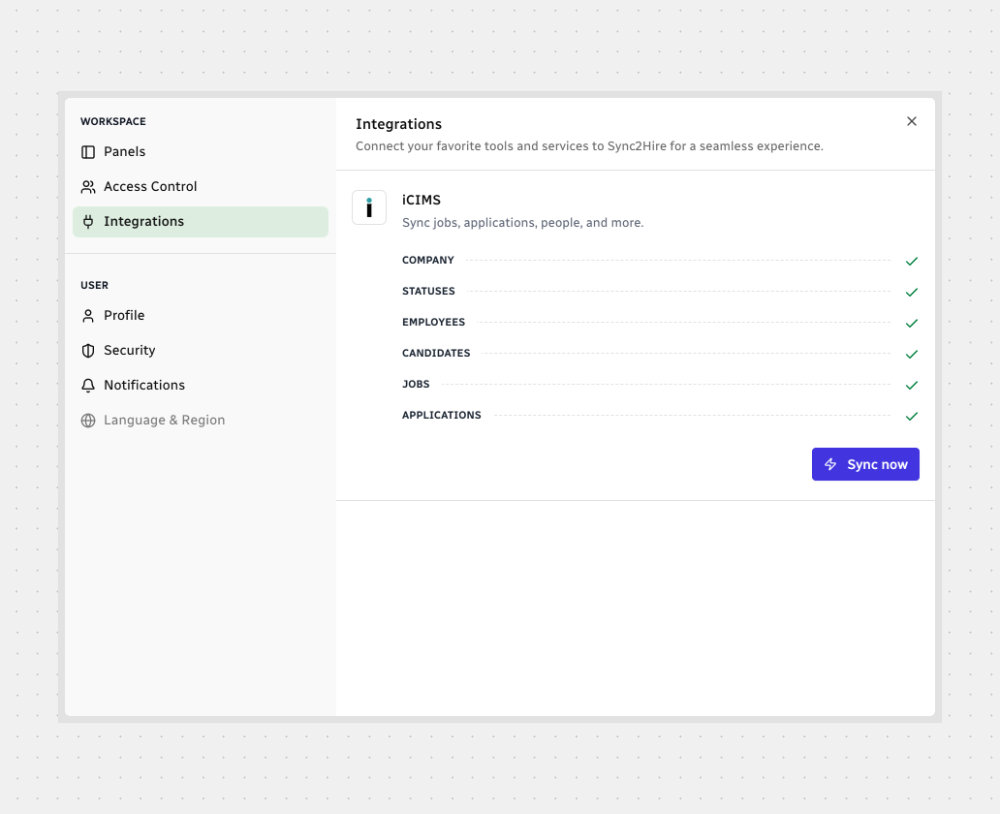
  • A list of available providers (shown as cards).
  • Each provider shows the data types it can sync (e.g., Company, Statuses, Employees, Candidates, Jobs, Applications).
  • Checkmarks indicate items that are connected and ready.
  • If a provider is connected, you may see Sync now to run a manual sync.

Note: The providers and data types in your workspace can change over time. You may see different options than the ones shown in the image.

That’s it! Open Integrations, review the provider cards, and sync when you’re ready.