


Update your password in a few steps and keep your account secure.
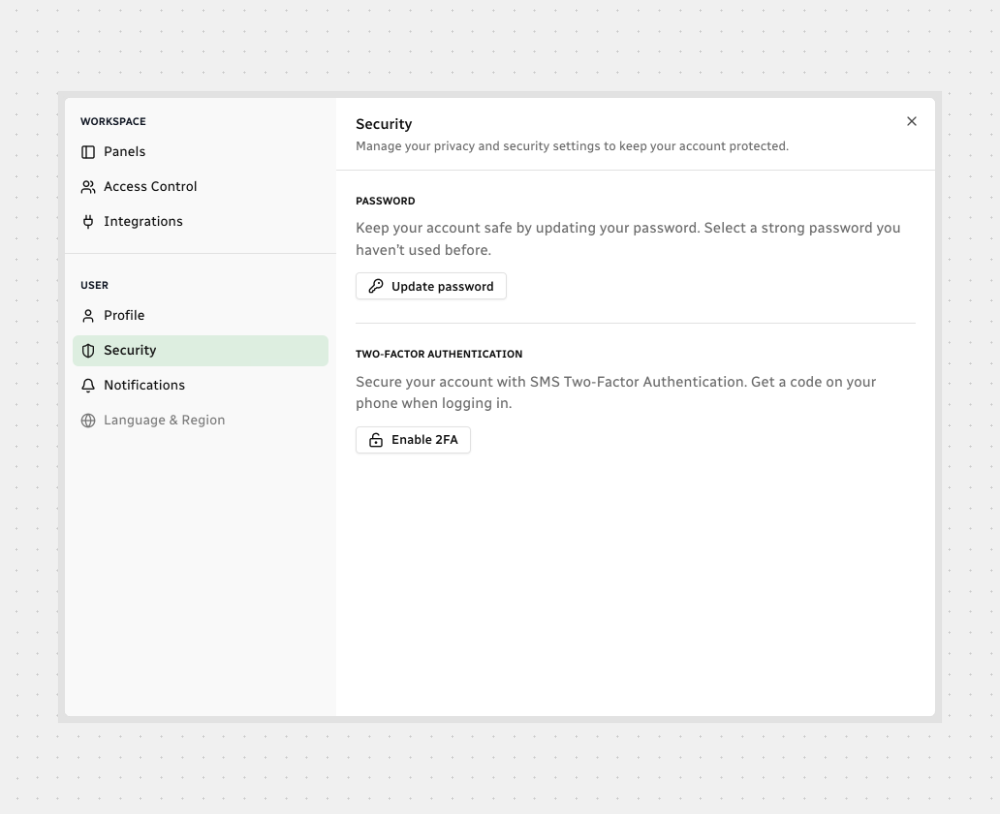
Open Security
Click the Settings icon in the sidebar.
Select Security.
Click Update password — a new window opens.
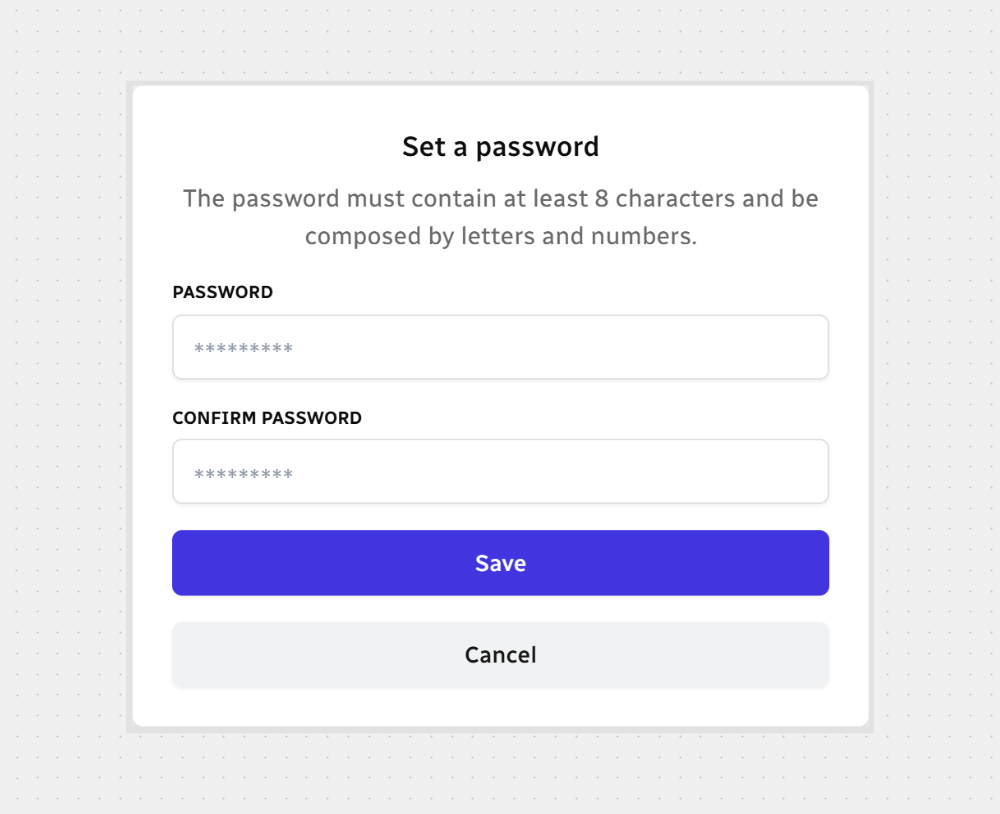
Set a New Password
Enter your new password and confirm it.
Click Save to apply, or Cancel to discard.
All set — your new password is active!



.svg)