


Do you think a channel is very important? Keep important conversations handy by starring them!
Star a Channel
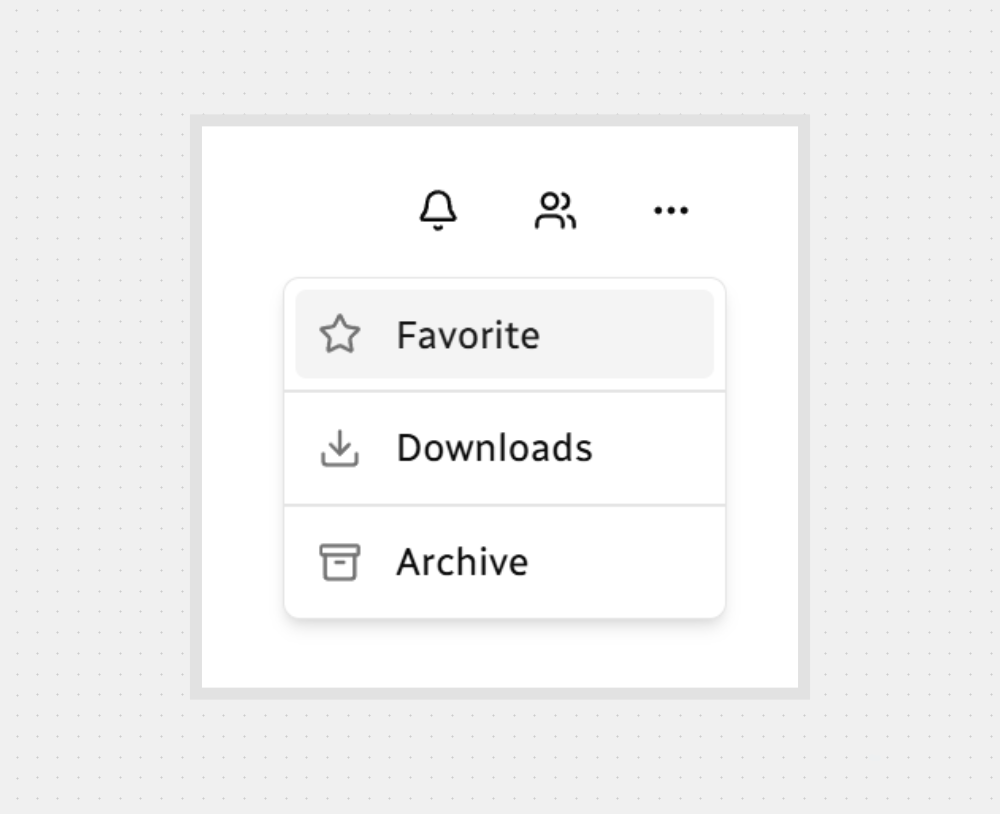
Quick steps from the channel header.
Click More options (…).
Select Favorite.
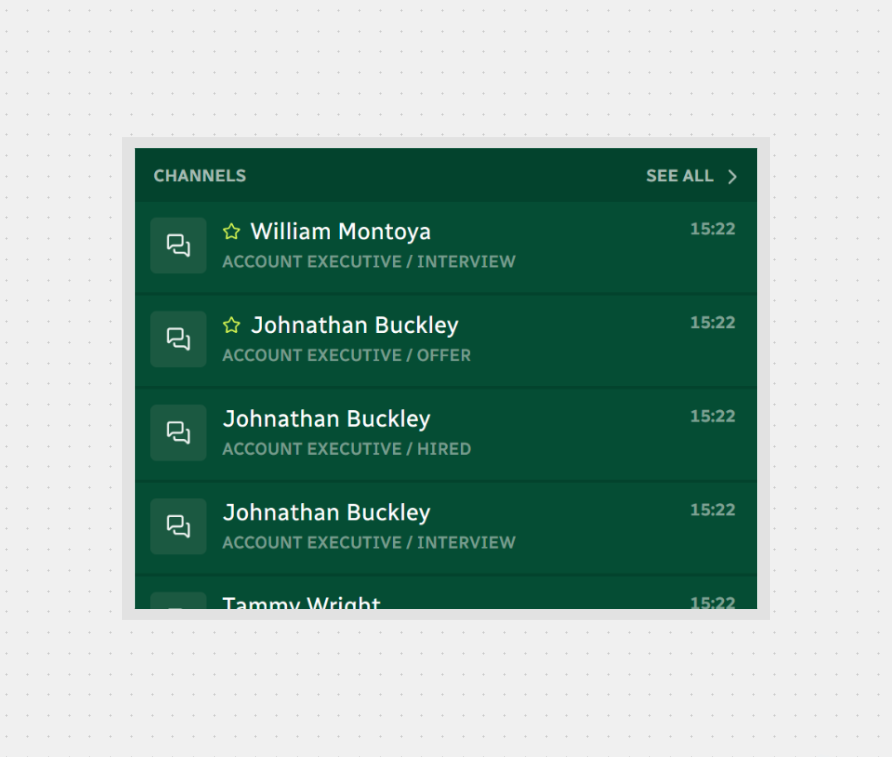
You’ll see a star next to the channel name on sidebar — the channel is now starred.
Where Starred Channels Appear
On the Home page, starred channels are shown at the top of the channel list so you can jump back in quickly.
Unstar Anytime
Changed your mind?
Open More options (…) again.
Click Unfavorite to remove the star and return the channel to its normal position.

Note: Heads up — the menu shows Favorite/Unfavorite. Here we say “star/unstar” because it’s snappier. Same thing anyway .
That is it — Star your key channels to keep your workflow faster than ever!



.svg)