


Want to chat one-on-one without pinging a whole channel? Direct Messages (DMs) are perfect for quick and private conversations with teammates.
Open Direct Messages
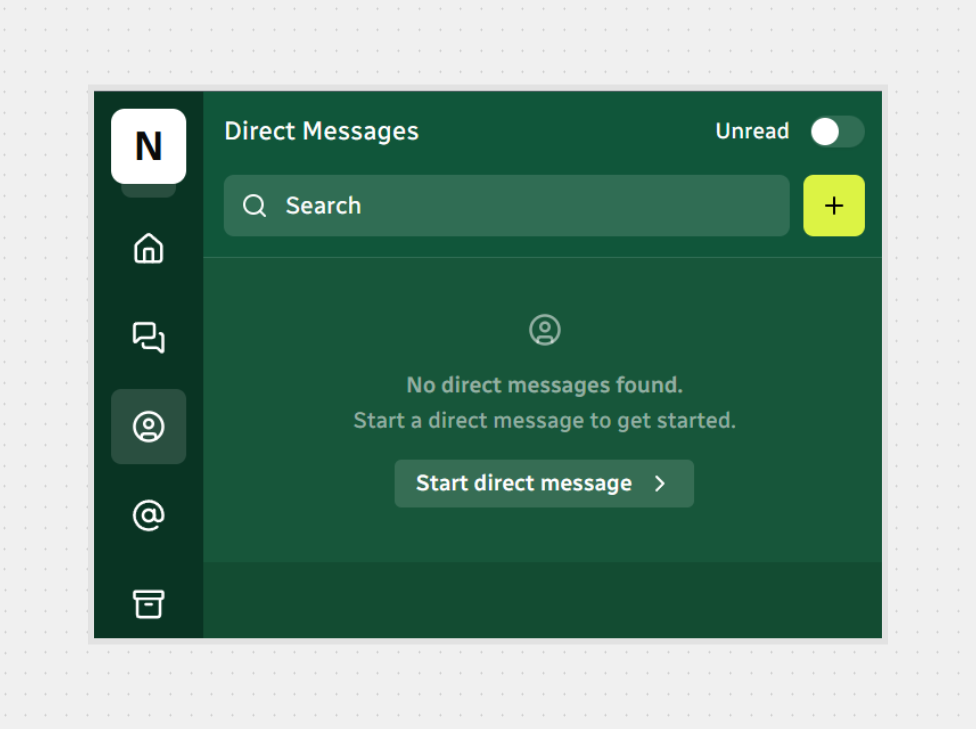
In the left sidebar, click Direct Messages.
You’ll see all your DMs.
Use the Search at the top to filter existing DMs. If you don’t have one yet, you’ll see the Start direct message button in the empty state.
Start a New Direct Message
Option 1 — From the Direct Messages page
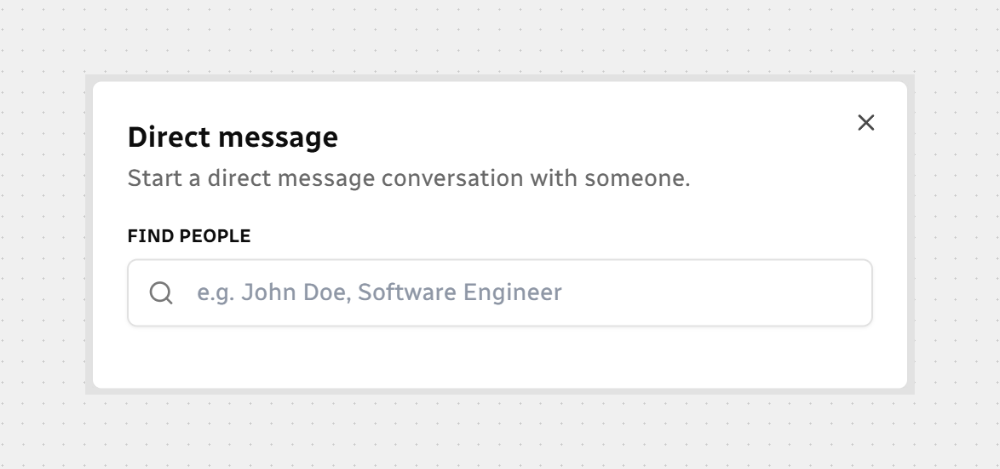
Click Start direct message (or the + button).
In the Direct message modal, type a name, title, or email to find the person.
Click Chat to open the conversation.
Option 2 — From a user profile
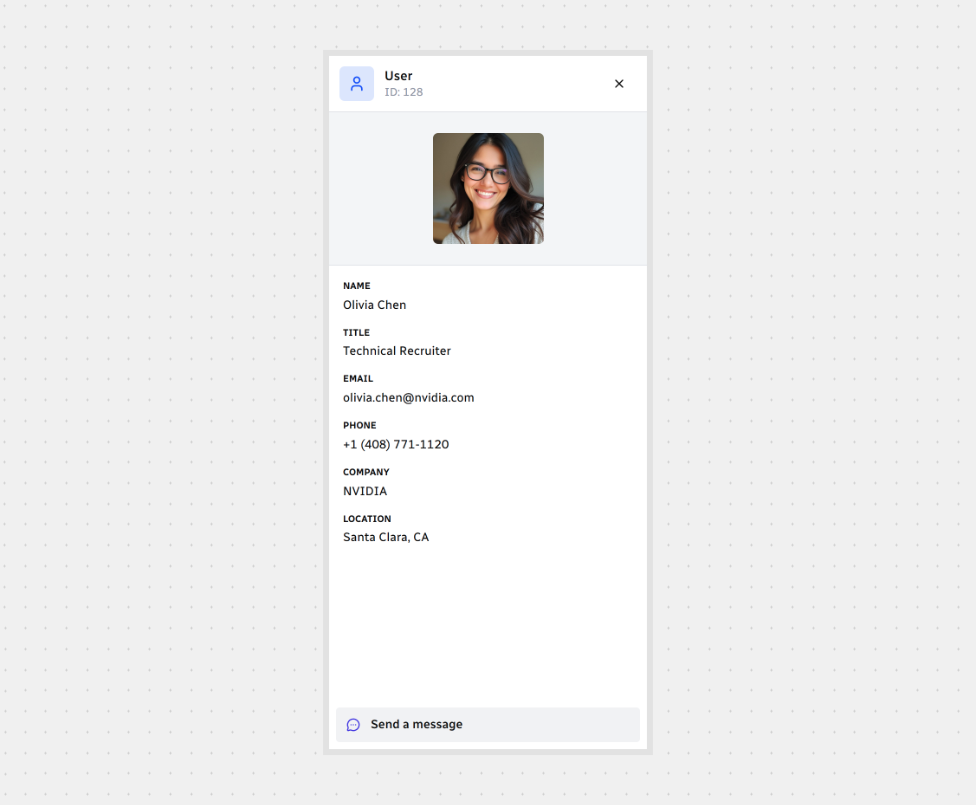
Open the teammate’s profile (e.g., by clicking their name/avatar).
Click Send a message to jump straight into a new DM chat with them.
Write and Send
Once you’re in the conversation, it’s just like any chat.
That’s it! Now you can reach anyone privately, share files, and keep channel noise to a minimum.



.svg)