


Mentions help you get someone’s attention fast — or follow up on messages meant for you.
Mention Someone
Start typing @ in the message box. You can either type the person’s name fully or pick them from the list that pops up. Works for channels too — just type the channel name after @.
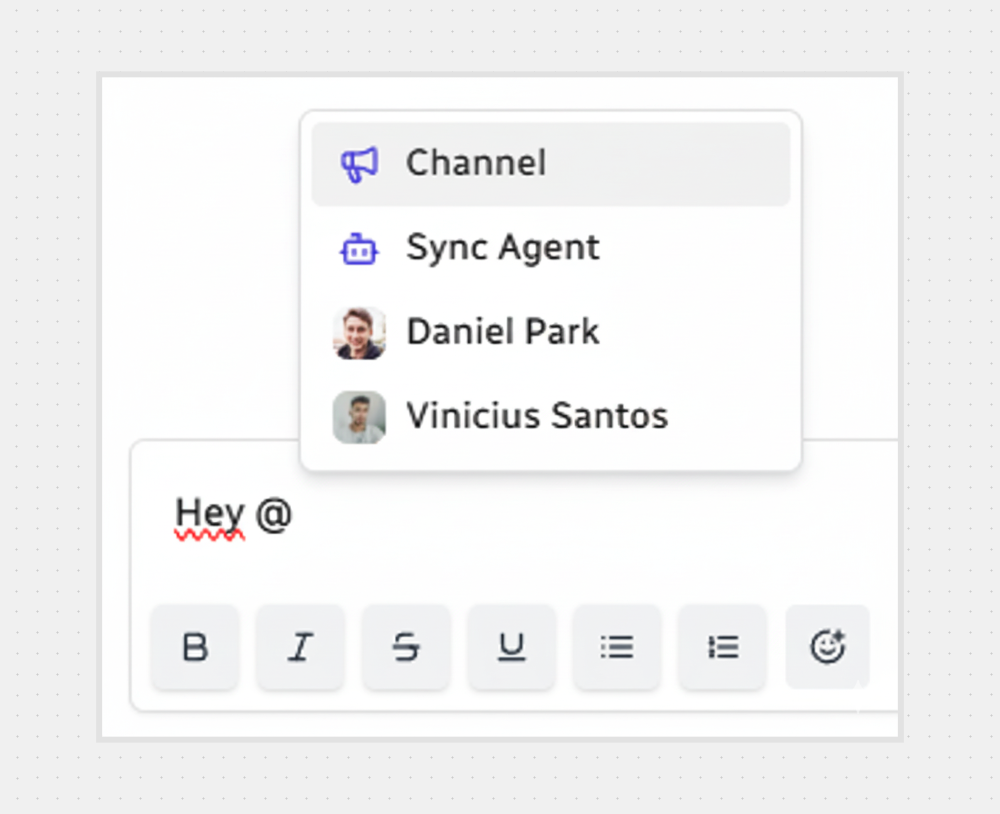
In the message box, type @.
Write the name of the person or channel, or select from the list that appears.
Hit Enter or click their name to add it to your message.
Finish your text and send it.
View Your Mentions
Keep track of every time someone tags you.
Click the Mentions icon in the left sidebar.
You’ll see all messages where you were mentioned.
Click any message to jump straight to it in the conversation.
Stay on Top of Mentions
Mentions are highlighted so they’re easy to spot. You can reply right away or come back to them later — they won’t get lost.

That’s it — now go give someone a friendly nudge with a mention.



.svg)