


Add an extra check at sign-in.
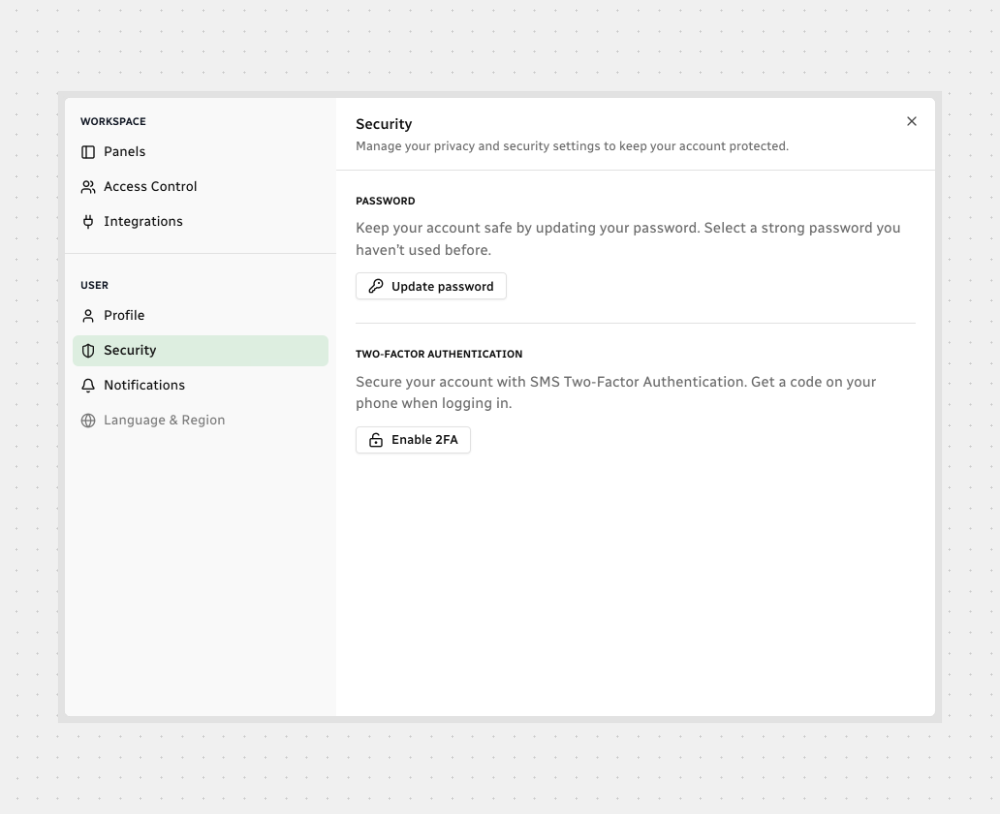
Open Security
Click the Settings icon in the sidebar.
Select Security.
Click Enable 2FA — a new window opens.
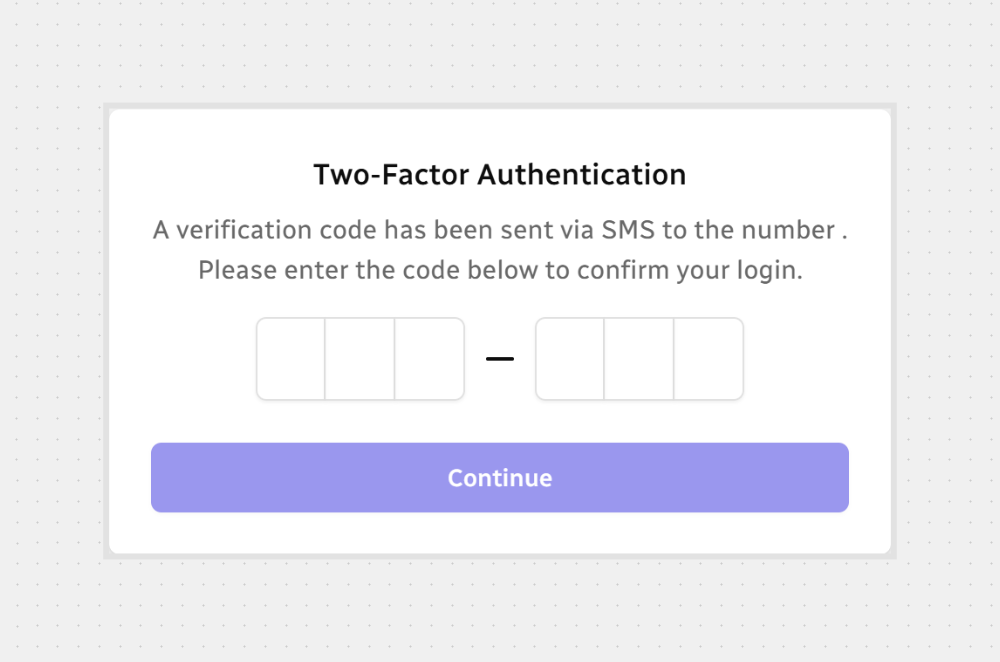
Confirm With the SMS Code
Enter the 6-digit code sent to your phone.
Click Continue to finish.

Note: After 2FA is on, you’ll sign in using your password plus the SMS code.
You’re all set — 2FA is enabled and will be required the next time you sign in.



.svg)