


Sent something by mistake? No worries — you can delete it in seconds.
Open Message Actions
To delete a message:
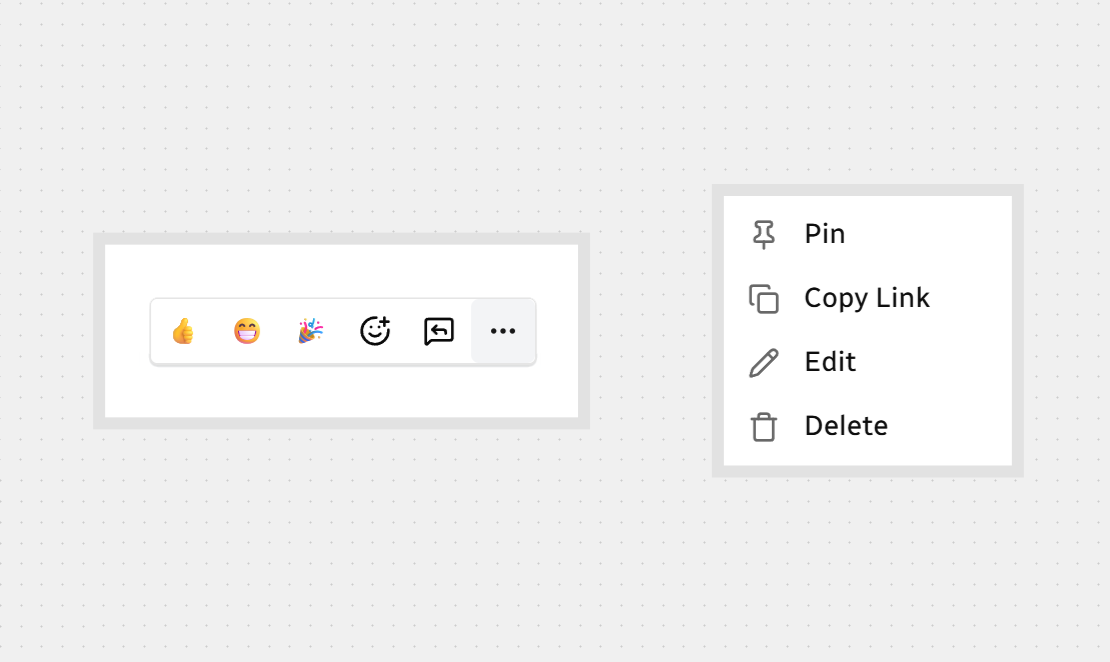
Hover over your message to reveal the actions bar.
Click the More options (...) menu.
Click Delete.
Confirm Deletion
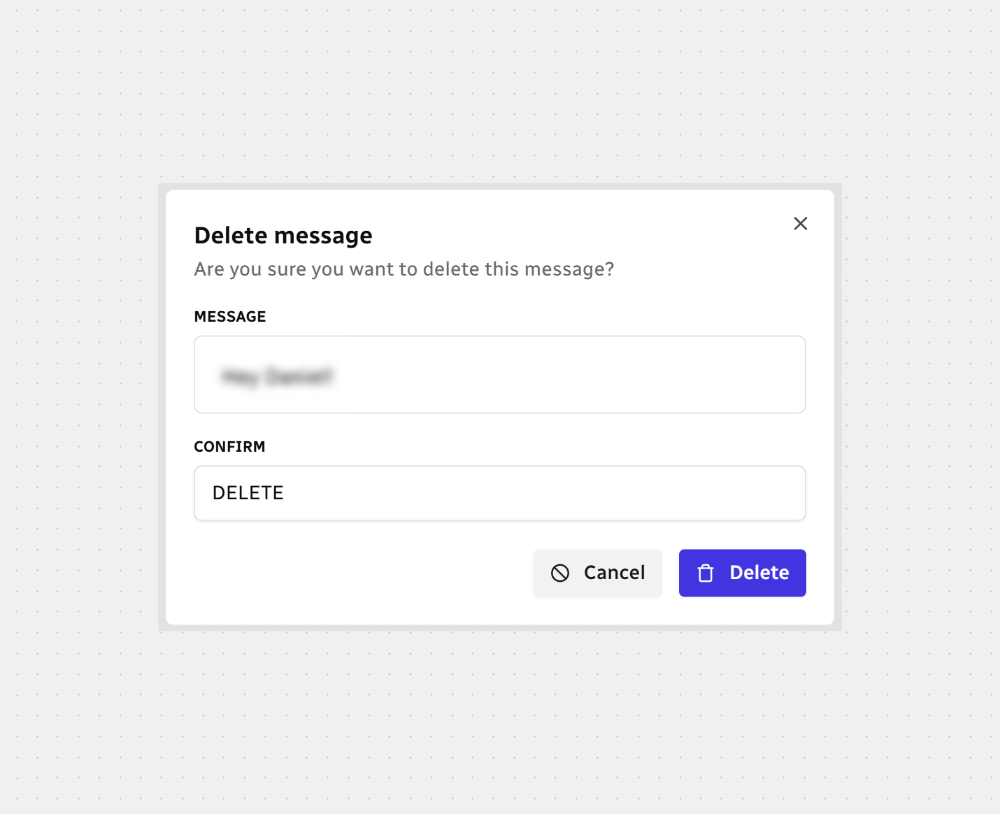
When a confirmation window opens:
You’ll see the exact message text that will be removed.
In the Confirm field, type DELETE — ALL CAPS, no spaces.
Click Delete to remove the message, or Cancel to keep it.

Note: Deleting a message removes it from the conversation for everyone. This action can’t be undone.
All done — give it a second and the message is gone.



.svg)