


Creating a channel keeps everyone on the same page. It's a space to talk, share updates, and track decisions — all focused on a specific job.
When to Start a Channel
Start a new channel if:
How to Create a Channel
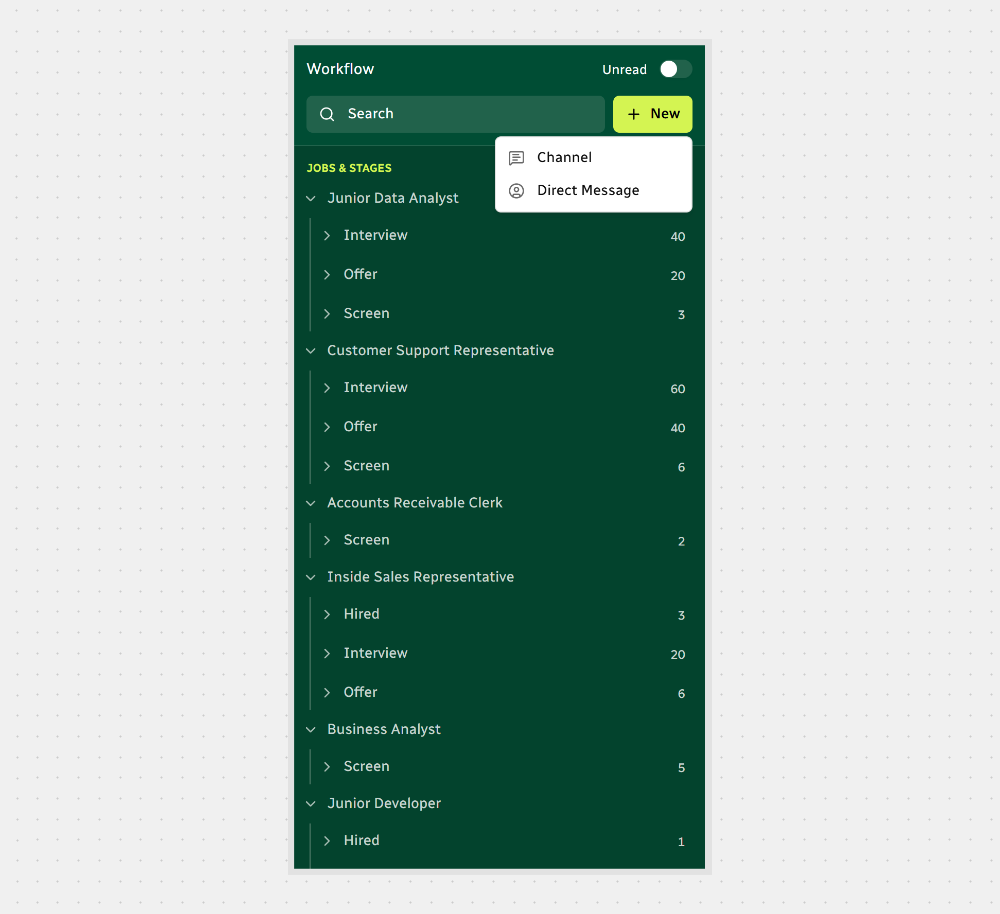
The channel will show up under the job. Everyone involved will be able to jump in and collaborate right away.
Configure Channel Settings
That’s how to set up a channel the right way:
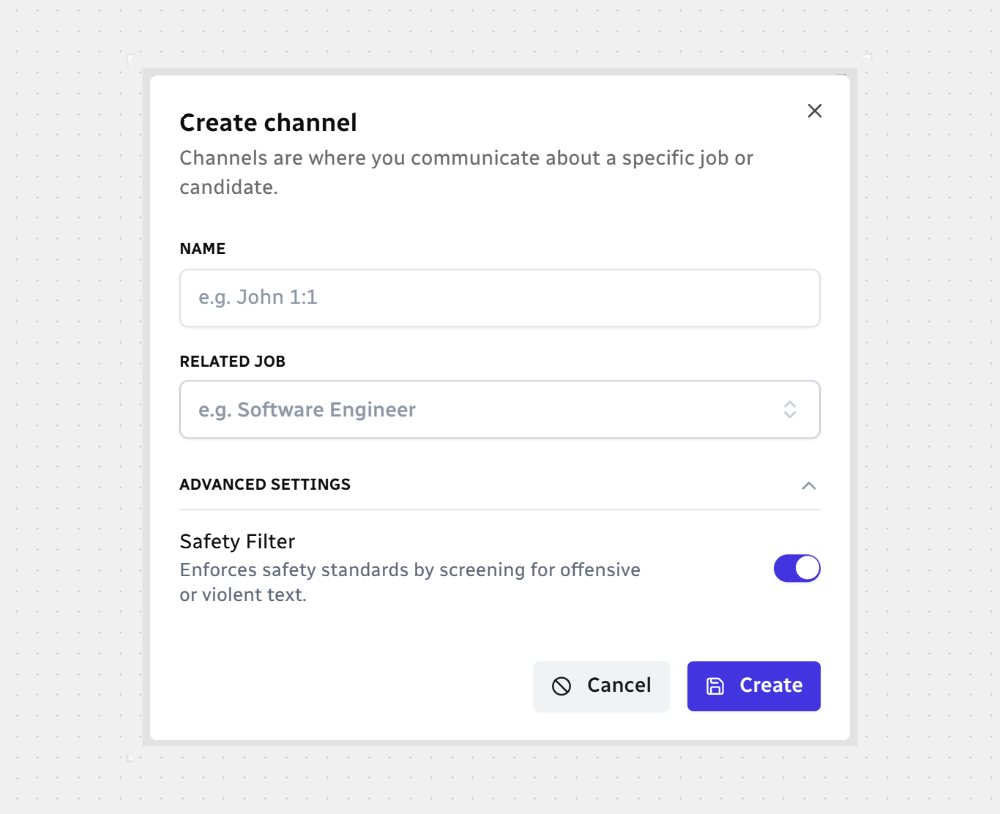
Channel Name — Required. Suggest using clear, concise titles (e.g. "Final Review").
Related Job — Required. Connect the channel to an active job listing.
Safety Filter — Optional. Blocks messages with harmful or violent language
That’s it. You’ve got a clean space to talk and move things forward.



.svg)