Need to fix a typo or change how something sounds? You can quickly update any message you've sent.
How to Edit
For edit your message:
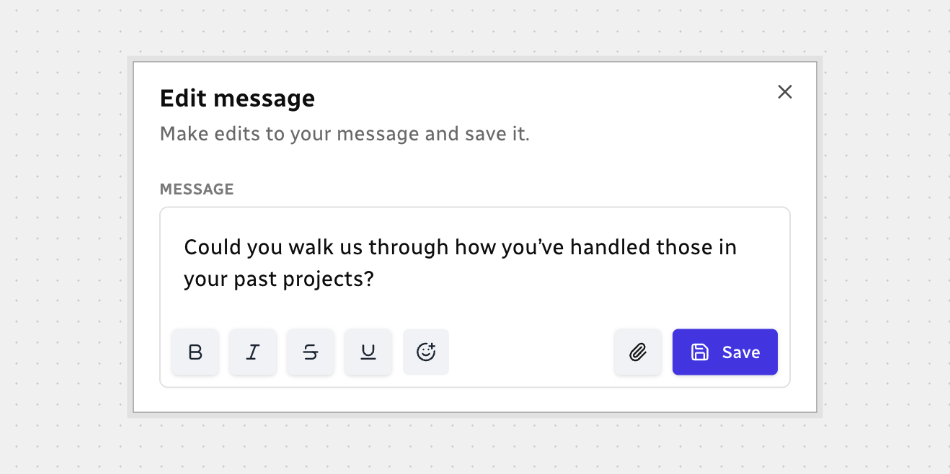
- Hover over your message and click the three dots.
- Click on the pen icon — Edit.
- The message opens in an editor — just make your changes.
- Click Save when you’re done.
While editing, you can:
- Add bold, italics, strikethrough, underline, or emoticons
- Attach a file if needed
If Something’s Not Okay
If a message is blocked, it stays in the chat with a red exclamation icon — it wasn’t sent.
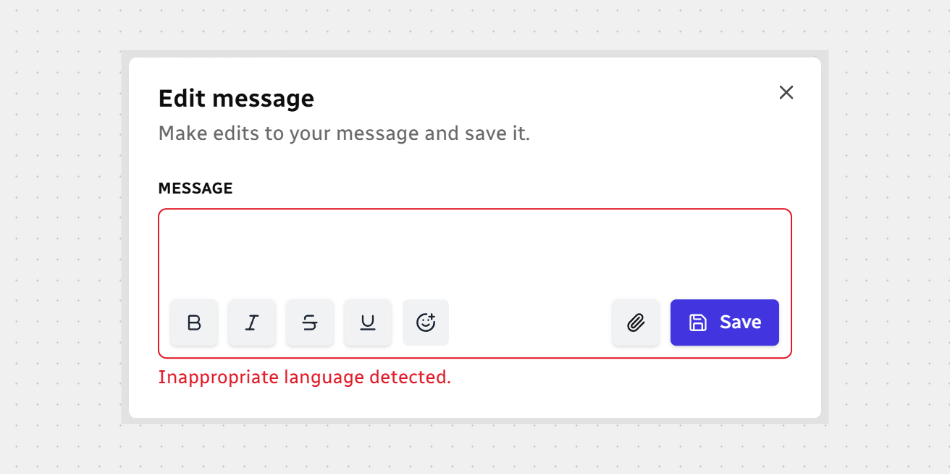
To fix and resend:
- Click the exclamation icon next to the blocked message to open the editor.
- Edit the text to keep it appropriate and on-topic.
- Click Save.
That’s it! Make edits quickly, stay clear, and keep the conversation moving.






.svg)