Create an Account at Sync2Hire
Ready to join? Here’s a quick walkthrough to set up your account and make sure everything’s good to go.
Create an Account

Make sure you're on the Create Account screen
Fill in your:
- Name (just first and last name, 3+ characters total)
- Email (something like
you@example.com) - Password (8+ characters, include letters and numbers)
- Confirm Password (retype your password)
Click Register
Verify Your Email
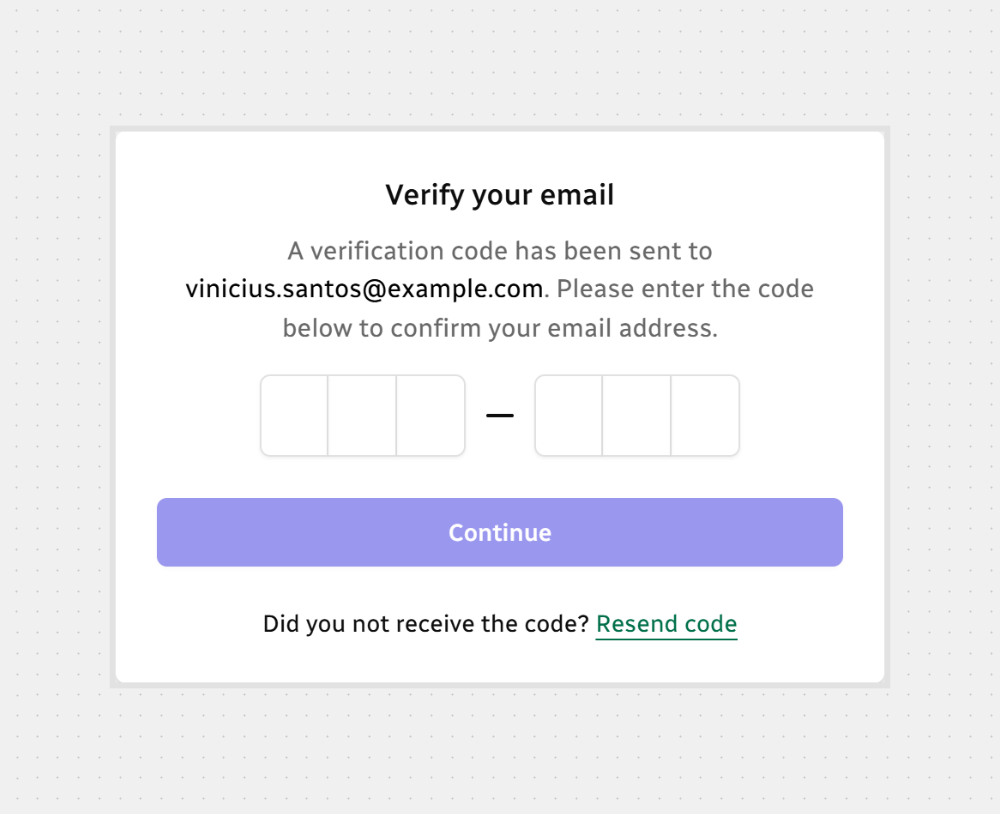
- Check your inbox for a 6-digit code
- Go to the Email Verification screen
- Type in the code
- Click Continue — we’ll take you to the next screen
Heads up:
- The code works for 5 minutes
- After 3 wrong tries, it gets blocked
- Wait 60 seconds before asking for a new one
That’s it! You’re all set — welcome to Sync2Hire!






.svg)