How to Configure Users Access Control
Access Control helps you manage team members and their permissions.
Roles and Permissions
First, follow these steps:
Click the Settings icon in the sidebar.
Select Access Control to open the settings panel.
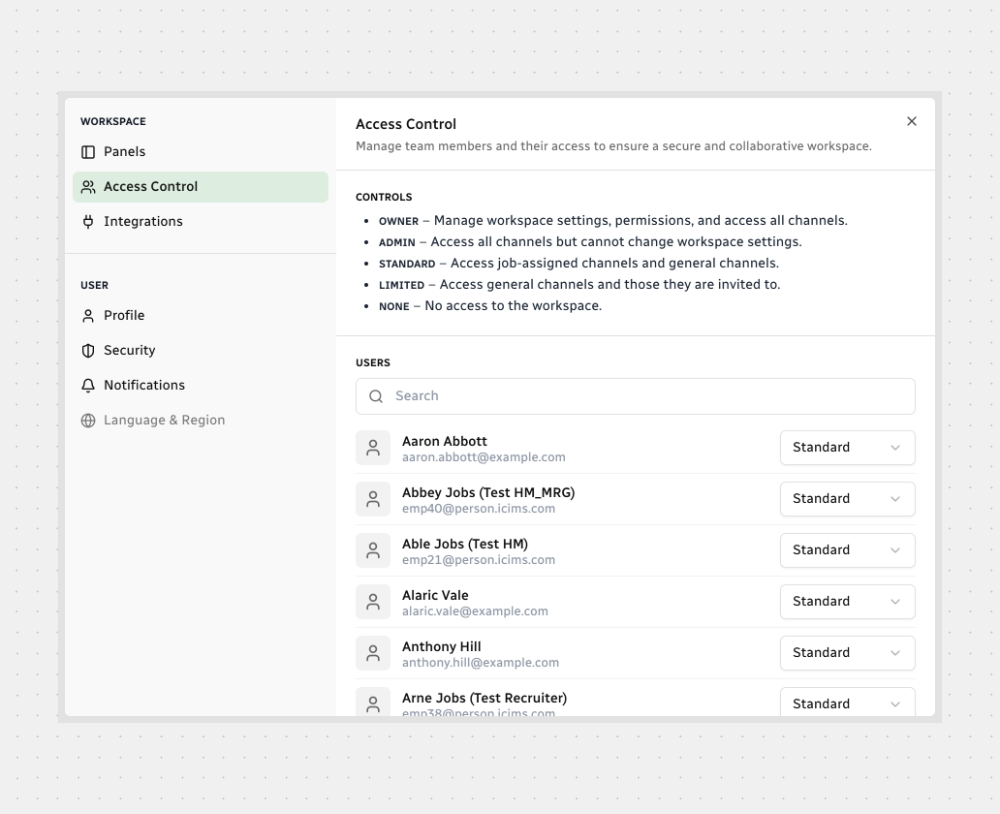
From here, you’ll see the available roles:
- Owner — Manage workspace settings, permissions, and access all channels.
- Admin — Access all channels but cannot change workspace settings.
- Standard — Access job-assigned channels and general channels.
- Limited — Access only general channels and those they are invited to.
- None — No access to the workspace.
Managing Users
- Use the search bar to quickly find team members.
- Next to each name, choose the appropriate role from the dropdown menu.

Note: Updates take effect immediately, so changes apply as soon as you save them.
That’s it! Now you can keep your workspace safe while giving everyone the right level of access.






.svg)